Model Context Protocol (MCP) in Node Wire
Node Wire integrates with the Model Context Protocol to allow AI agents (like Claude or custom LLM orchestrators) to discover and use connectors as tools. Every path on this page serves the same connectors through the same run() pipeline. Tool names are <connector_id>_<action> (bindings).
Which MCP path?
The following table compares the three ways to serve MCP:
| Path | What you get | Choose it when | Start here |
|---|---|---|---|
| 1. Combined server | One process, python -m agents.mcp_entrypoint, exposing every connector enabled for mcp in config/connectors.yaml |
Local development, one agent using several connectors, one tenant selection covering all of them | Transport modes |
| 2. Per-connector server | One container per connector: the pre-built docker/<name> images (nw-google-drive, nw-slack, …) or a host generated by nw gen-all / nw gen-mcp |
Modular deployments, one image per ToolHive server, OpenAPI-generated connectors | Local wheels → images · nw CLI |
3. stacklok server (nw gen-stacklok) |
A stacklok mcp-builder server with AI-curated tools, running on a node-wire connector, with one ToolHive proxy per tenant | You want a curated tool set, ToolHive-owned auth, and Kubernetes manifests | stacklok MCP servers |
Paths 1 and 2 share the MCP binding, so they have Node Wire auth, scope policy, tool search and the tenant tools. Path 3 hands auth to ToolHive and drops those binding-only features (limits).
The following diagram compares the three paths:
flowchart TB
    subgraph combined["1 · Combined — one process"]
        direction TB
        A1["AI agent"] --> P1["agents.mcp_entrypoint"]
        P1 --> C1["google_drive"]
        P1 --> C2["slack"]
        P1 --> C3["fhir_epic"]
    end

    subgraph individual["2 · Per-connector — one container each"]
        direction TB
        A2["AI agent"] --> S1["nw-google-drive"]
        A2 --> S2["nw-slack"]
        A2 --> S3["generated host"]
    end

    subgraph stacklok["3 · stacklok — ToolHive in front"]
        direction TB
        A3["AI agent"] --> TP["ToolHive proxy<br/>per tenant"]
        TP --> B3["stacklok server<br/>node-wire connector"]
    end

    combined ~~~ individual ~~~ stacklok

    classDef agent fill:#eceff3,stroke:#5b7387,stroke-width:1px,color:#1c2733
    classDef proc fill:#ddf1fb,stroke:#1a88b0,stroke-width:1px,color:#0d2f3d
    classDef conn fill:#fde2ea,stroke:#b81548,stroke-width:1px,color:#3d0a1d
    class A1,A2,A3 agent
    class P1,S1,S2,S3,TP,B3 proc
    class C1,C2,C3 conn
    style combined fill:#f7f8fa,stroke:#5b7387,stroke-width:1px,color:#1c2733
    style individual fill:#f7f8fa,stroke:#5b7387,stroke-width:1px,color:#1c2733
    style stacklok fill:#f7f8fa,stroke:#5b7387,stroke-width:1px,color:#1c2733
For outbound OAuth, when Node Wire is the client of a remote authorized MCP server, see MCP client OAuth.
Transport modes
Switch between transports using the NW_MCP_TRANSPORT environment variable.
stdio (default)
Communicates through standard I/O. Best for local development and subprocess-based clients. To start the combined server over stdio on Linux or macOS, run:
On Windows, run the following in PowerShell:
Drop uv run to use an already-activated environment's python directly.
streamable-http
The MCP Streamable HTTP transport: a single HTTP endpoint that upgrades to an SSE stream when a
response is streamed. This is the successor to the deprecated standalone sse transport, not
the same thing. To start the combined server over streamable HTTP on Linux or macOS, run:
# Bash (Linux/macOS)
NW_MCP_TRANSPORT=streamable-http NW_MCP_HOST=127.0.0.1 NW_MCP_PORT=8081 NW_MCP_PATH=/mcp \
  uv run python -m agents.mcp_entrypoint
On Windows, run the following in PowerShell:
# PowerShell (Windows)
$env:NW_MCP_TRANSPORT="streamable-http"; $env:NW_MCP_HOST="127.0.0.1"
$env:NW_MCP_PORT="8081"; $env:NW_MCP_PATH="/mcp"
uv run python -m agents.mcp_entrypoint
Streaming features
Two features apply when a response streams:
- Configurable buffering (
NW_STREAM_BUFFER_MS): When streaming, output can be buffered to reduce event spam. Set to the duration in milliseconds (for example,2000for a 2-second batching window). Default is0(no buffering). - Completion signals: The core runtime emits structured "done" signals (
stream_completion_log) through Python logging when streaming ends, allowing package consumers to detect when a stream finishes.
Tool search mode
For connectors with many tools (for example, a large generated OpenAPI connector), listing every tool costs model context on every request. Set NW_MCP_TOOL_MODE=search (or McpServer(tool_mode="search")) and tools/list returns two tools instead:
nw_search_tools{query, limit?}— BM25 keyword search over tool names, descriptions and argument names/descriptions. Returns up tolimit(default 5, max 20) matching tools, each with its fullinputSchema, so the model can call one straight away.nw_call_tool{name, arguments}— validatesargumentsagainst that tool's schema (same validator and messages as a directtools/call) and runs it.
The following diagram compares the two modes:
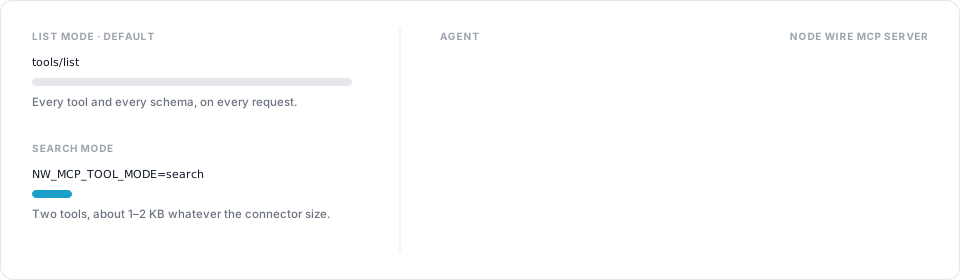
The listing stays around 1–2 KB whatever the connector size. Behaviour to know:
- Scope policy applies: a tool hidden from a caller is neither returned by search nor callable through
nw_call_tool(it reads as unknown). - Direct
tools/callby tool name still works in this mode, for clients that already know the names. - The multitenancy tools (
nw_select_tenant, …) are listed as usual. - Search is lexical: a request worded differently from the tool ("DM someone" vs
conversations_open) can miss. Clients that show, approve or filter tools one by one see onlynw_call_tool.
Default is list (unchanged). Modelled on FastMCP's search transform.
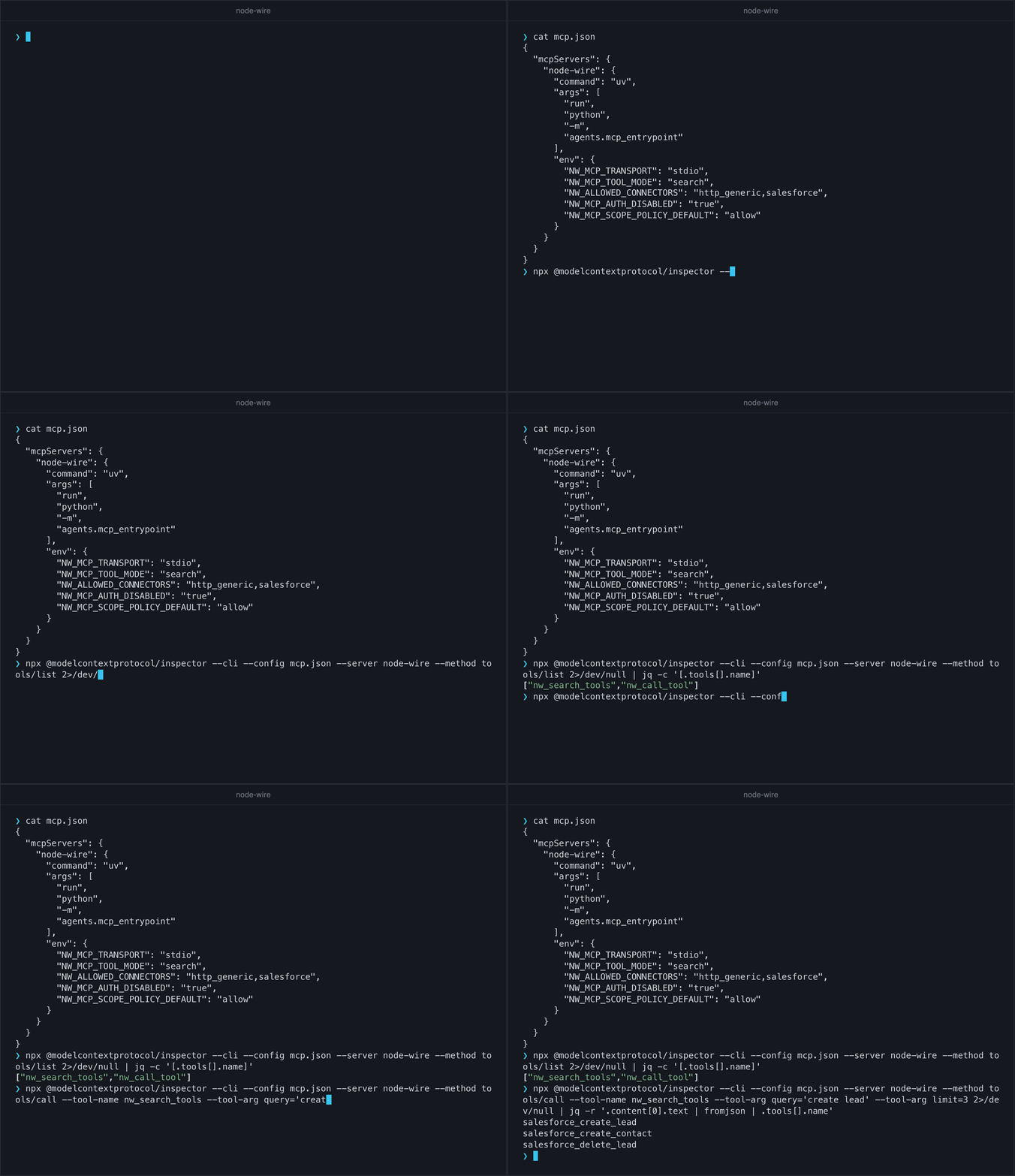
The following recording runs the combined server in search mode through the MCP Inspector CLI. tools/list returns the two search tools, and a search for create lead returns the matching Salesforce tools:
Multi-tenancy
With NW_MULTITENANCY_ENABLED=true, paths 1 and 2 add nw_list_tenants, nw_select_tenant,
nw_list_configs and nw_select_config. The tenant is never a connector-tool argument. How the
tenant is resolved on each transport, and what the tools do: Tenancy.
Per-connector tool arguments (for example the FHIR aliases) are in the
connector catalog.
Testing with MCP Inspector
The MCP Inspector is the best way to validate your MCP tools locally.
Testing stdio
Run the inspector against the combined server:
Testing streamable-http
To test the HTTP transport with Inspector v2, follow these steps:
- Start the server as in
streamable-http. For a local test without MCP auth, also setNW_MCP_AUTH_DISABLED=trueandNW_MCP_SCOPE_POLICY_DEFAULT=allow; otherwisetools/listcomes back empty. -
Run the inspector, and open the URL it prints (it carries the session token):
-
Click Add Servers → + Add manually. Enter a Server ID, set Transport to
streamable-httpand URL tohttp://127.0.0.1:8081/mcp, then click Add.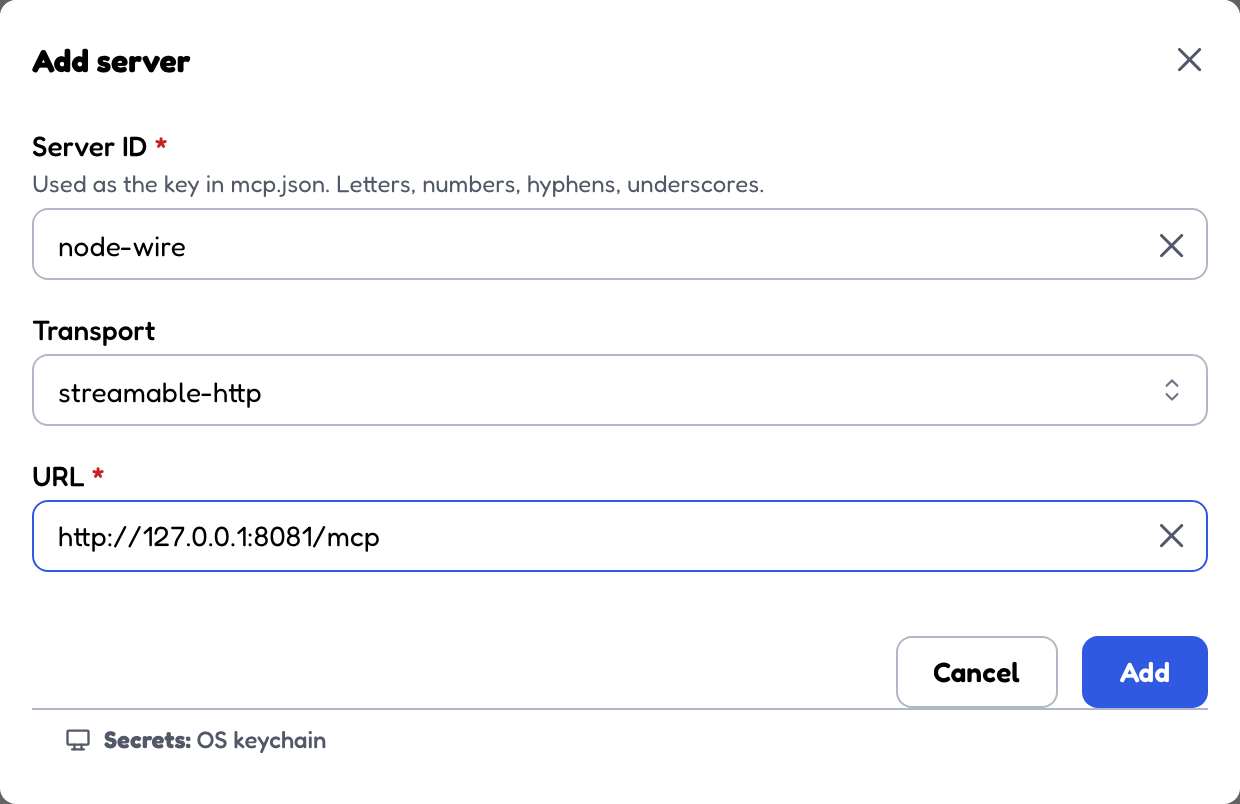
-
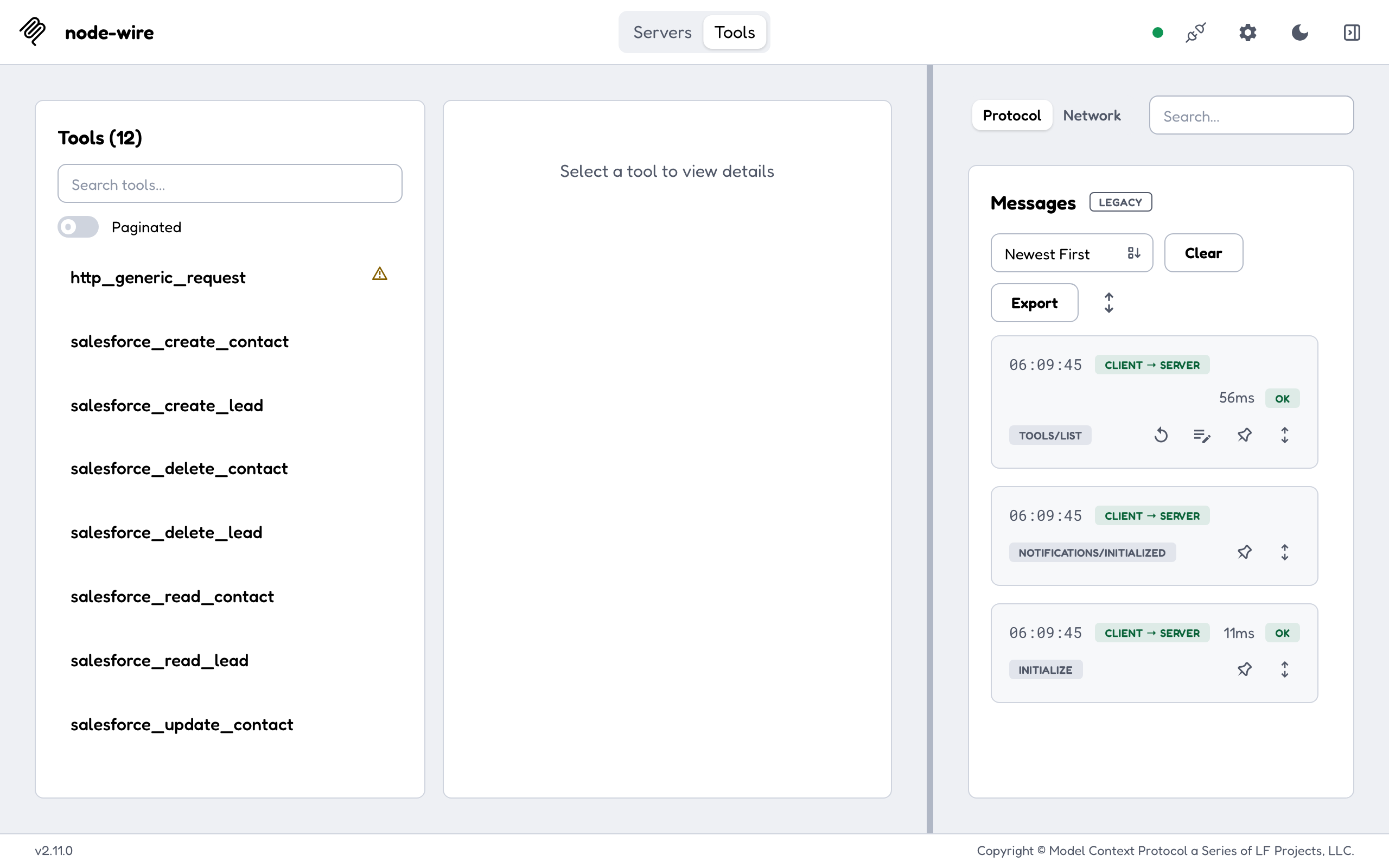
Turn on the switch on the server card. When it shows Connected, open the Tools tab to see the connector tools.
Related docs
- Local wheels → images: pre-built per-connector images and
docker-compose.mcp.yml - nw-mcp-builder: generated MCP hosts, run directly
- ToolHive agent scenario