Web: Manage (Admin Module)
The Manage module comprises features that are accessible to users with administrative privileges. Presently, this module encompasses dashboard management, role management, and user management. From this module, it is possible to create roles and manage user roles.
Dashboard Management
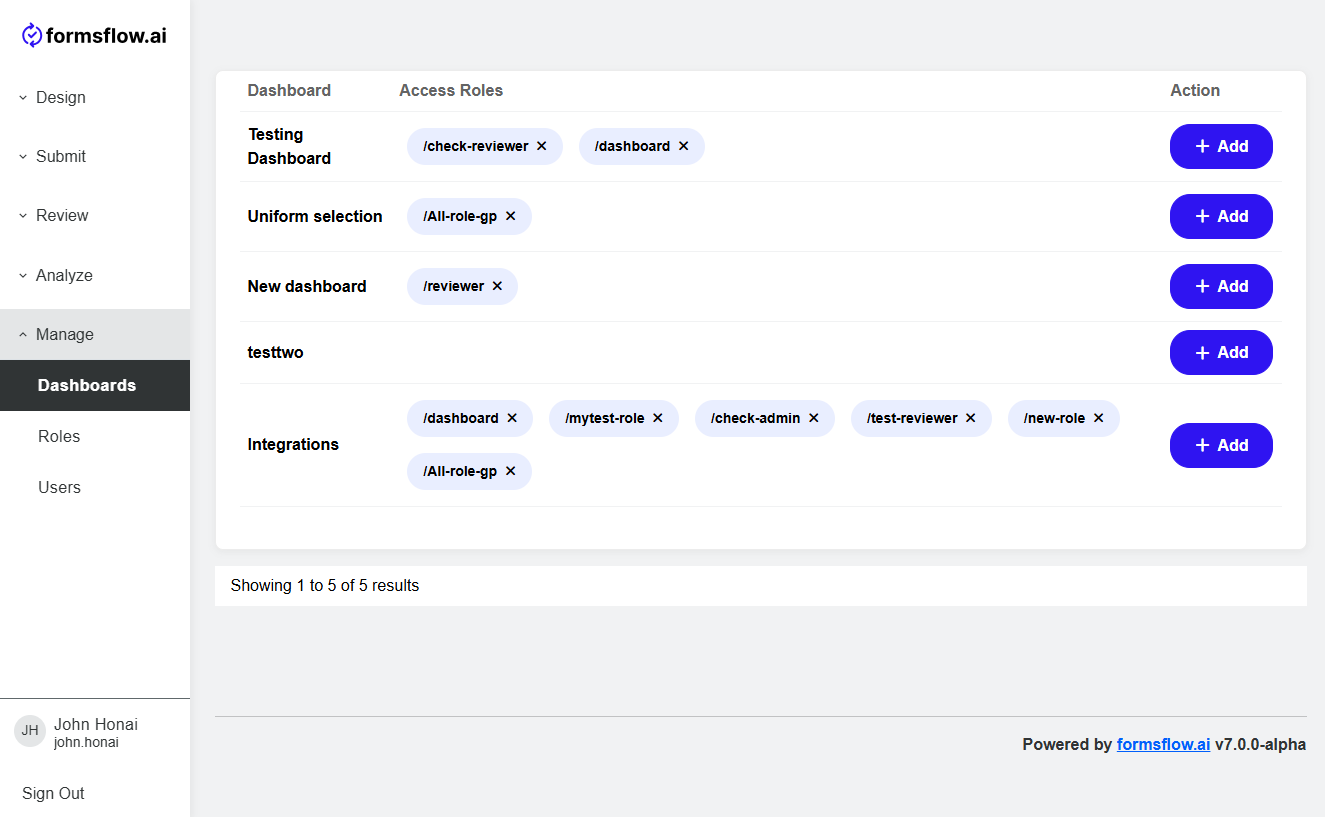
In Manage > Dashboards it is possible to assign the user roles that have access to a specific dashboard.
Role Management
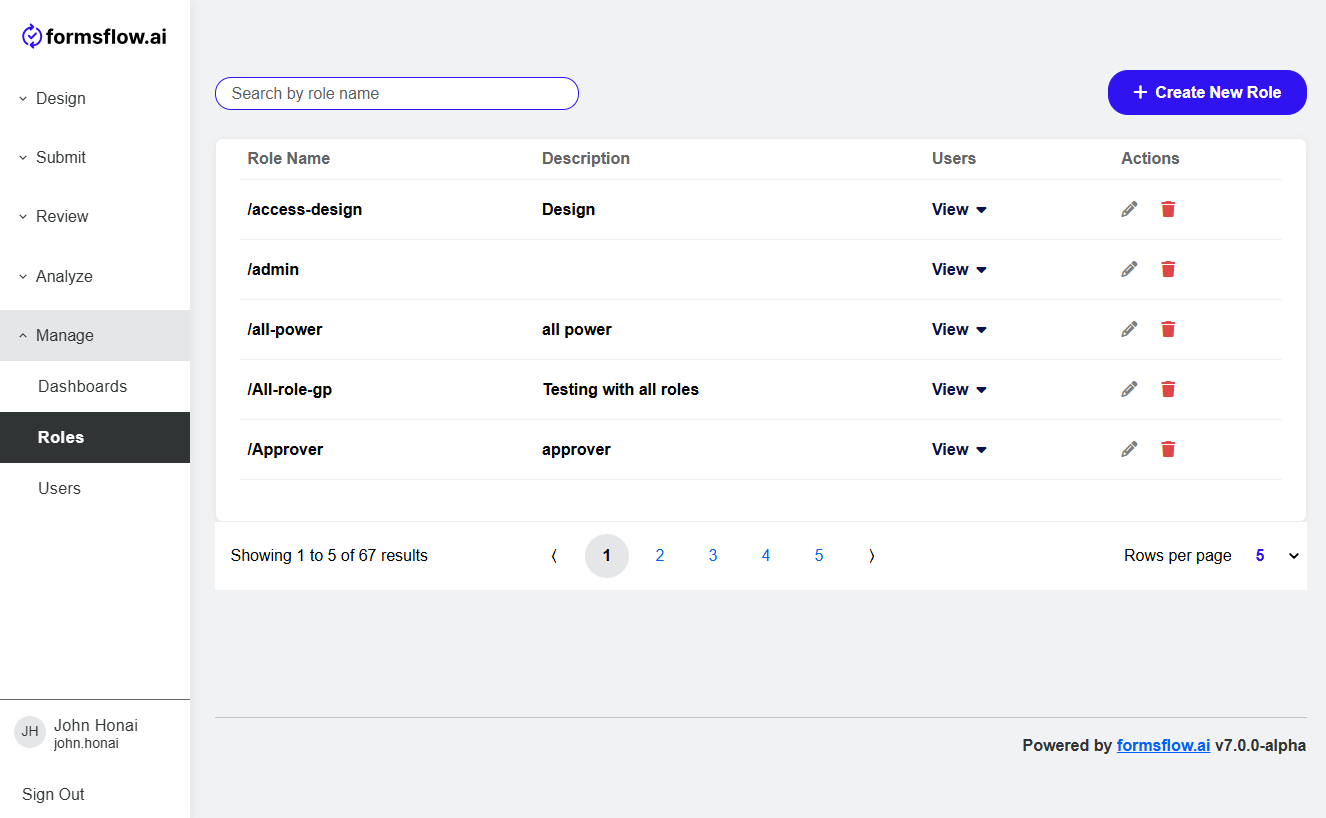
In Manage > Roles new roles can be created by clicking Create New Role button.
Refer Roles and Permissions for more information about roles and permission.
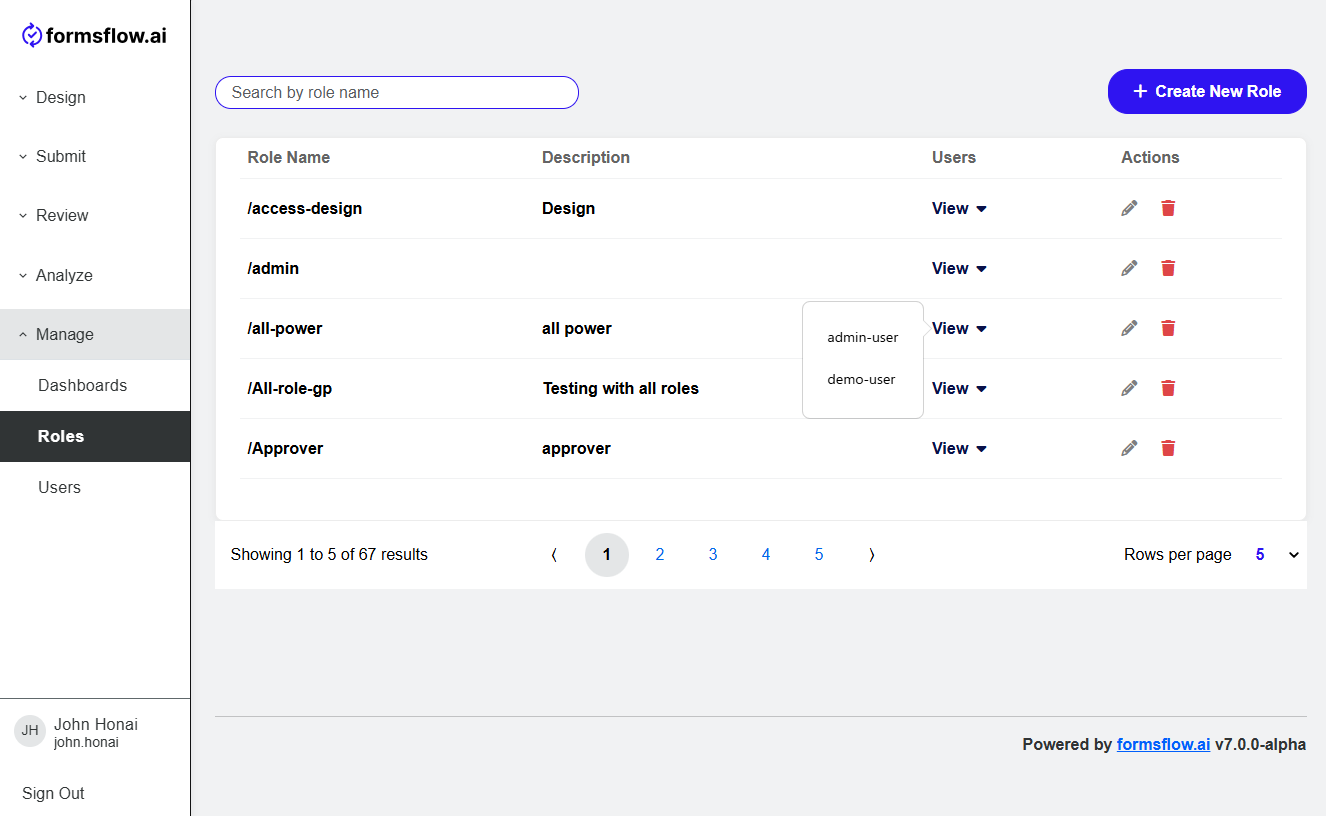
The View option for each role displays all the users who are assigned with the particular role.
User Management
User management in formsflow.ai is handled through integration with Keycloak, a widely used open source identity and access management platform. This integration supports secure authentication, role-based access control, and flexible user provisioning methods.
User Creation Methods
There are two primary ways to create users in formsflow.ai:
1. Integration with External Identity Providers
Keycloak can be configured to federate with external identity providers such as LDAP, Active Directory, or third-party authentication services. In this setup, user accounts are managed externally, and Keycloak acts as a bridge to authenticate users in formsflow.ai.
Users authenticated through an external provider must log in to formsflow.ai once. After the initial login, administrators can assign roles to them using the formsflow.ai administration interface:contentReference.
2. Direct User Creation in Keycloak
Users can also be created directly in the Keycloak instance integrated with formsflow.ai:
- Admin Console Method: Administrators can create users in the Keycloak admin console, assign them to appropriate groups, and configure their roles and permissions.
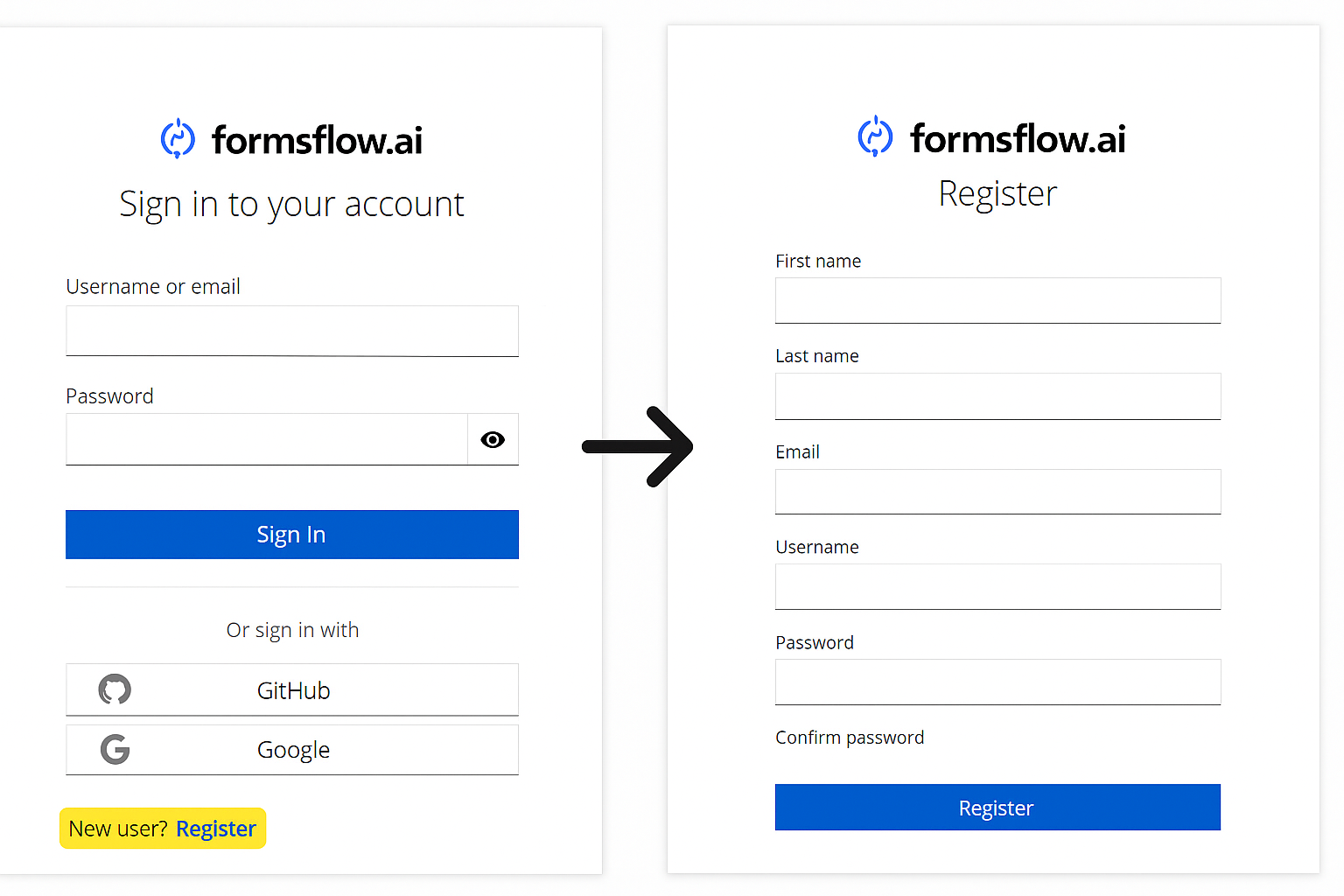
- Self-Registration Method: formsflow.ai supports user self-registration. New users can sign up through the platform, and accounts are created automatically in Keycloak as part of the onboarding process.
Self-Registration Method is the recommended approach for local deployments where external identity providers are not used. You can open user registration page from login page.
Role Assignment
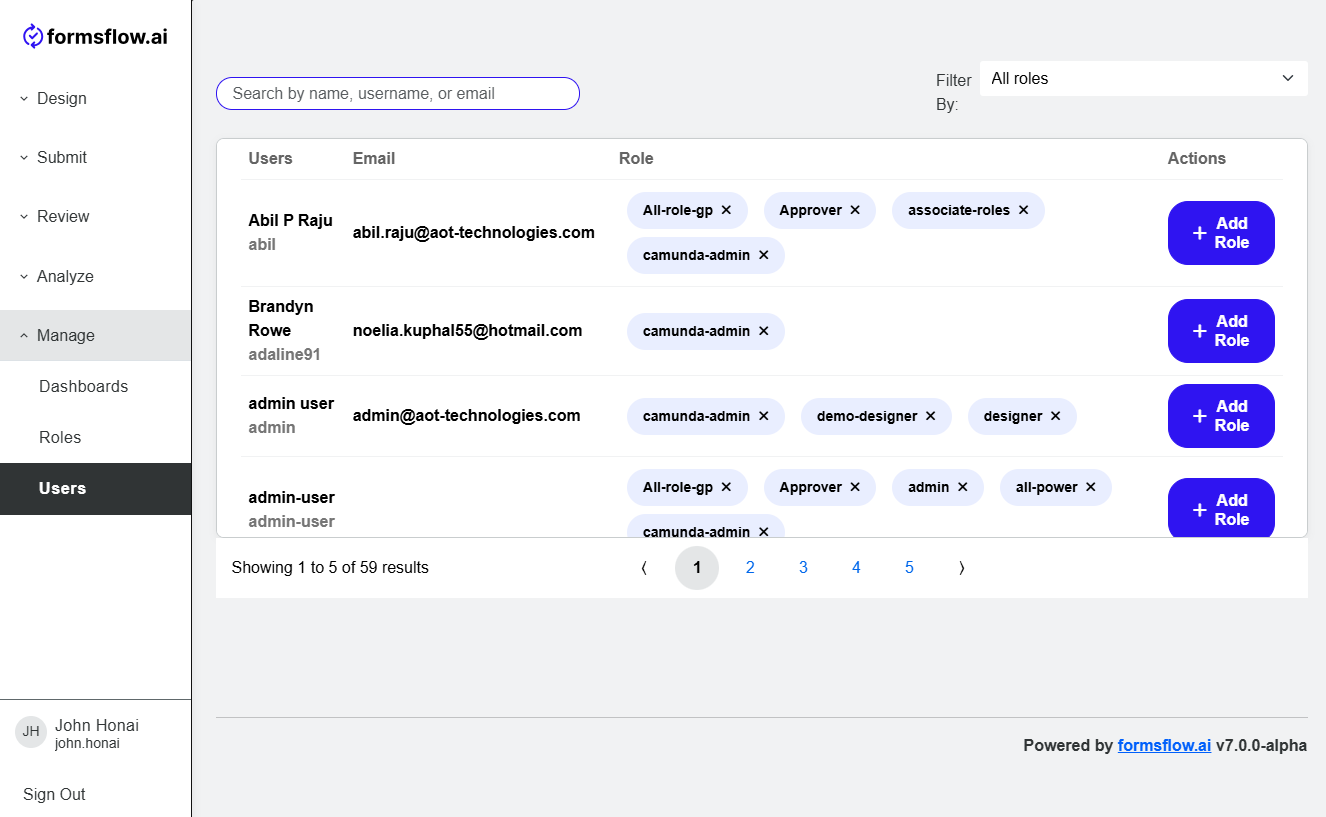
Use Add Roles button to assign roles to users.